Scoping Your Access Review
Last updated: October 28, 2025
Background
Sometimes, you don't need to review every. single. account. (or every permission!!)
Maybe you want to narrow down the constraints of your review, to just admins, or just people of a particular team, or by a particular entitlement.
Well, Lumos can help with that. 😇
This is accomplished by scoping an access review, which will actually narrow down the # of accounts that need to be reviewed for your audit.
Instructions
1. Go to the Access Review that you wish to scope.
2. Click the Settings icon in the top right

3. Open the "Scope Attributes" section
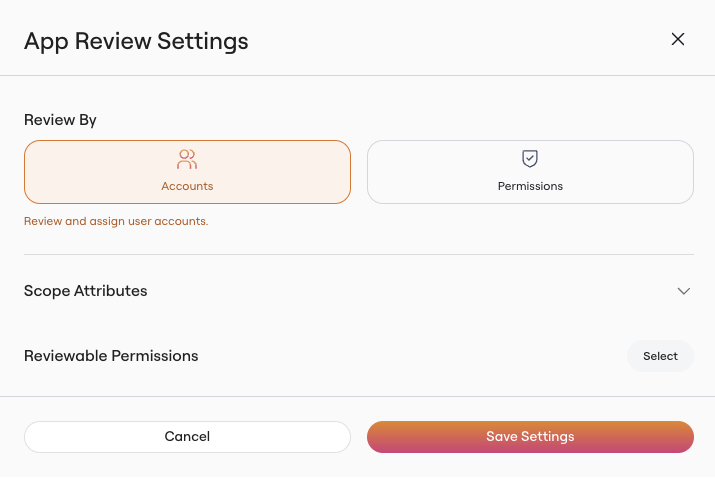
4. Scope your review by attribute
Based on your app, you'll see a list of possible attributes to scope down by.
This may include:
Data from direct Lumos integrations (e.g., Role)
User data (I.e. Team)
Data from your IdP (e.g., Groups in Okta)
Manually enriched columns (e.g., Permission Tags)
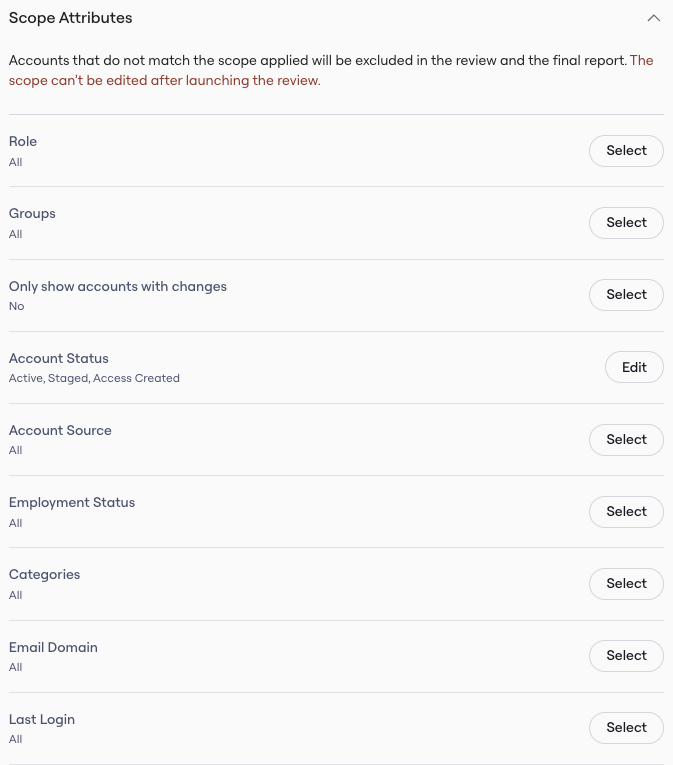
After making your selections, click "Save Settings"!