Putting Lumos Behind Okta
Last updated: January 5, 2026
After this article...
You'll have an Okta tile for Lumos and can restrict who can log in! 🔒
Introduction
To create an Okta Connection, you’ll need three pieces of information: an ACS URL, an SP Entity ID, and an IdP Metadata URL - reach out to your Lumos representative and we will generate the first two for you.
Steps
1. Log into Okta
Log in to Okta, go to the admin dashboard, and select "Applications" in the navigation bar.
Okta screenshot

2. Create a SAML application
Create a new SAML 2.0 application in Okta.
Okta screenshots


A copy of the Lumos logo is available below if you want to add an app logo in Okta (recommended).

3. Contact Lumos support
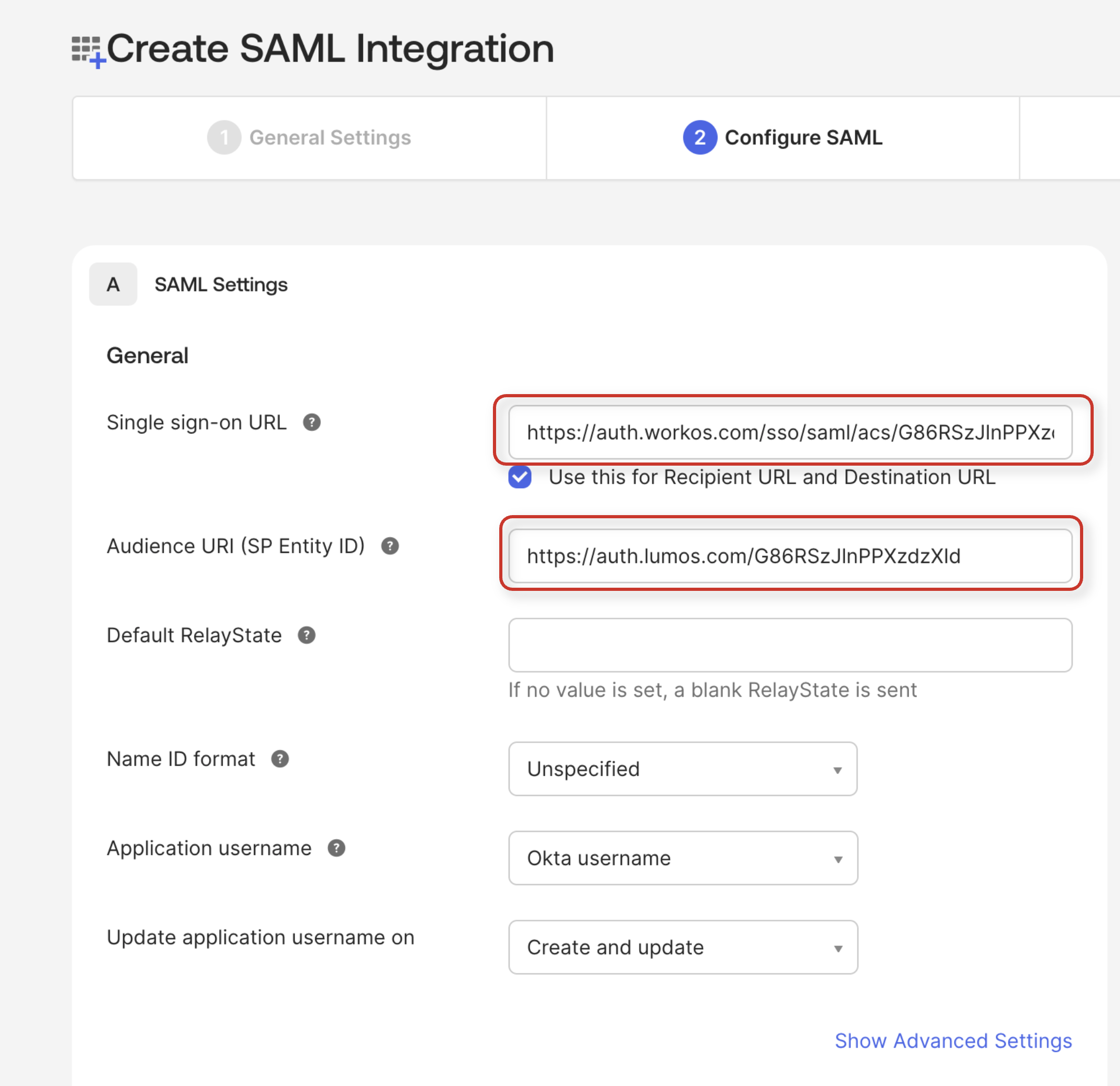
Work with the Lumos support team to obtain required configuration values. You'll need the following from our team:
Single sign on URL (ACS URL)
Audience URI (SP Entity ID)
4. Configure SAML app in Okta
After you've received the values from the Lumos team in Step 3, complete the rest of the SAML app configuration in Okta by plugging in the Single sign on URL and Audience URI (SP Entity ID).
Use the table below to copy + paste the attribute statements.
Name | Name Format |
id | user.id |
firstName | user.firstName |
lastName | user.lastName |
user.email |
Okta screenshots

5. Finish Application setup
Complete the form with any comments (the content doesn't matter 🤷♀) and click Finish.
Okta screenshot

6. Add Users to SAML Application
To give users permission to authenticate via this SAML app, you will need to assign individual users and/or groups of users to the Okta app.
Click on the “Assignments” tab, and select either “Assign to People” or “Assign to Groups”.

7. Send Metadata URL to Lumos Support
Click on the “Sign On” tab of the SAML app you just created.
Copy the Metadata URL value and send it to Support.
8. Get confirmation from Lumos support that everything is ready!
Once Lumos has confirmed that you're set up via SSO, make sure that you can log into Lumos from the Okta tile or from the Lumos login page and you should be good to go! 🚀